Sounds Like A Trip™ · Podcast road trips
Stories that take you places
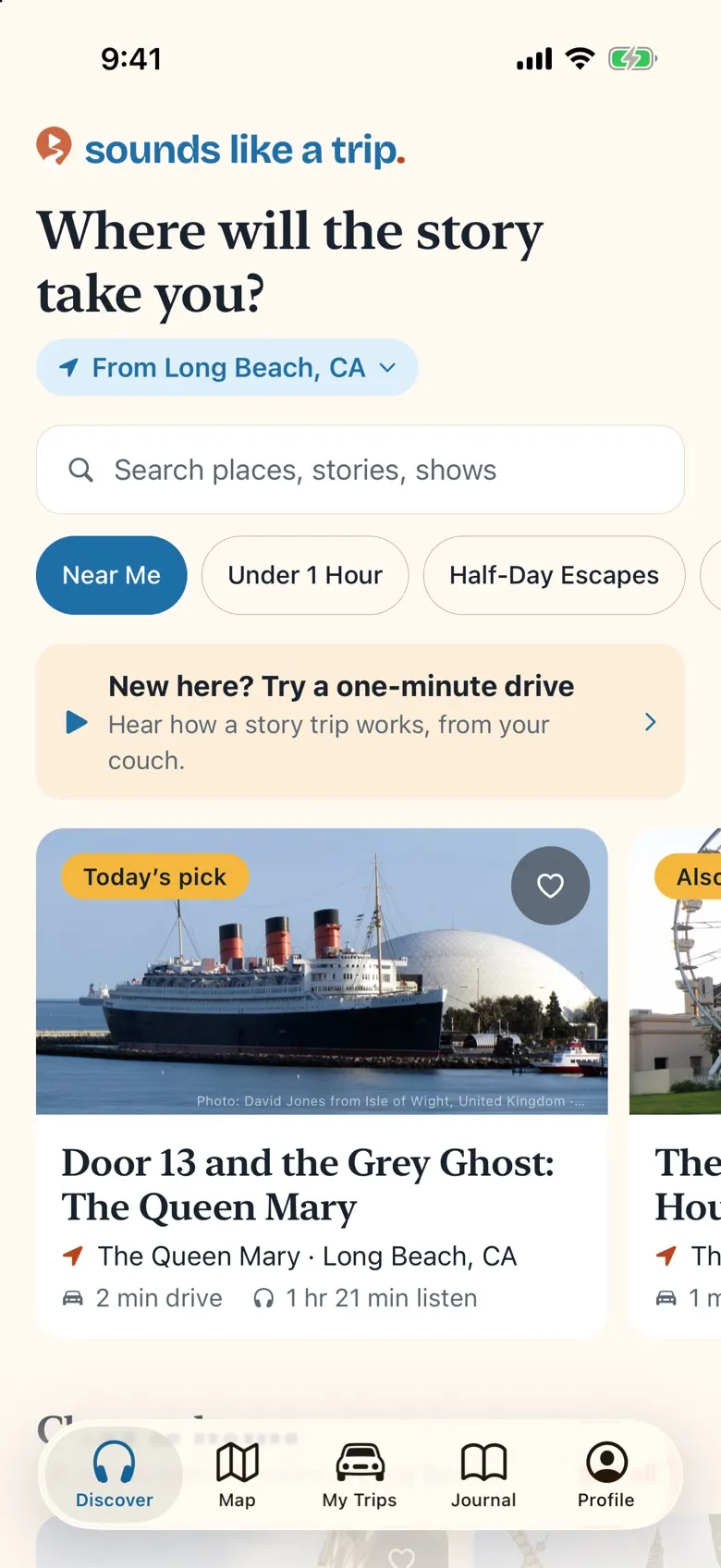
True podcast stories, mapped to the places they happened. Pick a story, drive there, and hear each part as you arrive. The castle one man built alone at night. The bridge a million bats moved into.

- 415true stories
- 96Adventures and city days
- 146start cities across the US
How it works
From the episode to the place in three steps
Pick a story
Hauntings, heists, inventors, music history, national parks. Every story is a real podcast episode, paired with the real places it’s about.
Plan the drive
The stops in order, a good place to eat, scenic detours, and how long each leg takes.
Hear it where it happened
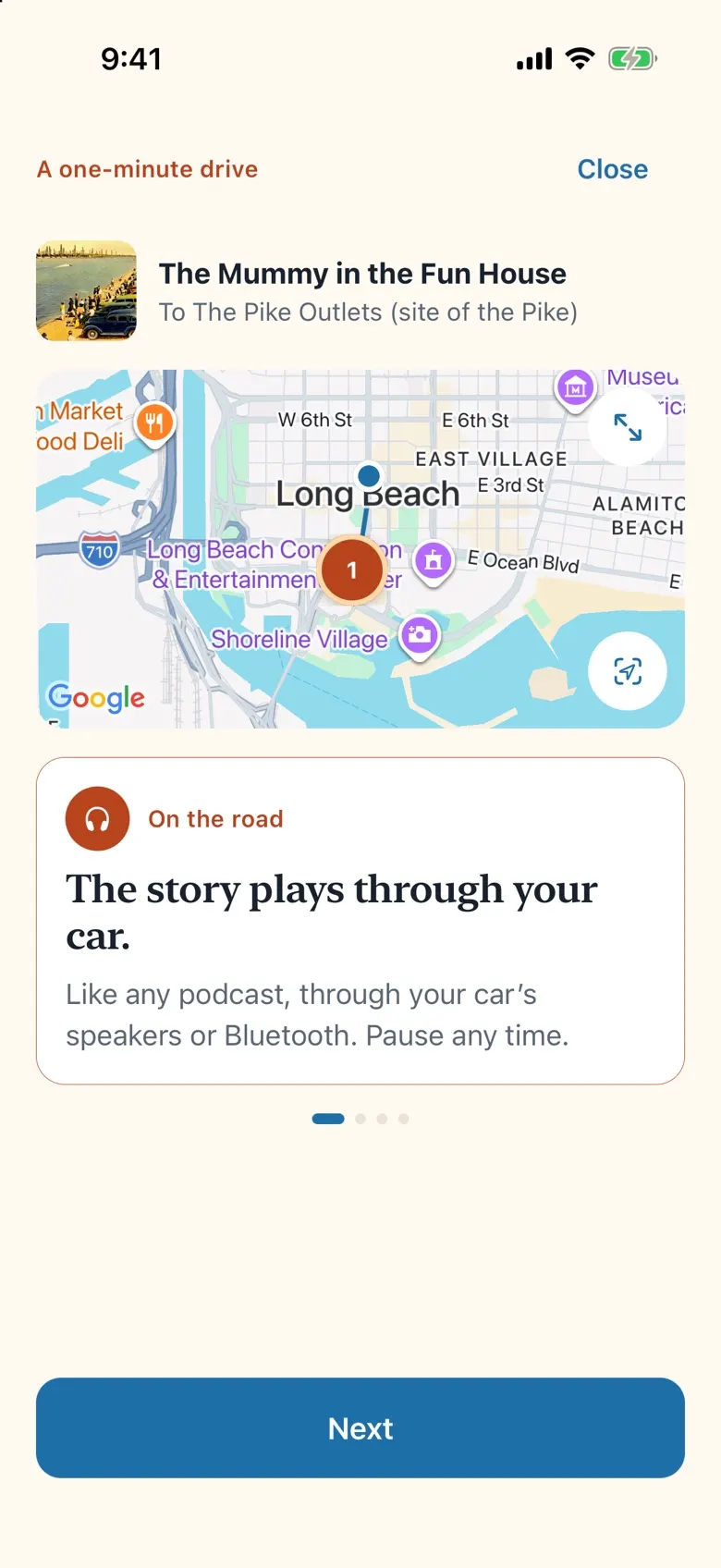
Press play and go. As you pull up, it tells you where you are and plays the part of the episode about the spot you’re standing in.
You’re standing here
The story catches up with you
Stand on the bridge, in the courtroom, at the foot of the telescope, and hear the hosts describe the very place.
Stops, spoken as you arrive
You hear the name of each stop as you get close, even with the phone locked in your pocket.
Works without signal
Download episodes before you leave, for the canyons and back roads where the bars run out.
Through your car
It plays like any podcast, on the car’s speakers or Bluetooth, and keeps going when you switch to your maps.
The creators’ own episodes
Every episode plays straight from the show’s own feed. The shows belong to the people who made them.
Adventures
A day, a weekend, or coast to coast
Stories strung into one trip, with the drive between them. 96 of them, from city days to the great American roads. A few to start with:
A Day in Long Beach
The Queen Mary’s ghosts, a fun-house dummy on the Pike that turned out to be real, and Sublime’s first show.
A Day in Nashville
The 1960 sit-ins, the Ryman and the Opry, then hot chicken.
A weekend in Houston & Galveston
Mission Control, Juneteenth, and the night the Gulf came over the island.
Route 66: Chicago to Santa Monica
The Mother Road end to end, from a 1928 foot race to the sign at the end of the pier.
The Pacific Coast Highway
Highway 1 from LA up the Sonoma coast: Hearst’s castle, Big Sur, Cannery Row and the wave at Mavericks.
Skyline Drive and the Blue Ridge Parkway
From Shenandoah to the Smokies, by way of the Bristol Sessions where country music was born.
Your trip journal
Bring home more than photos
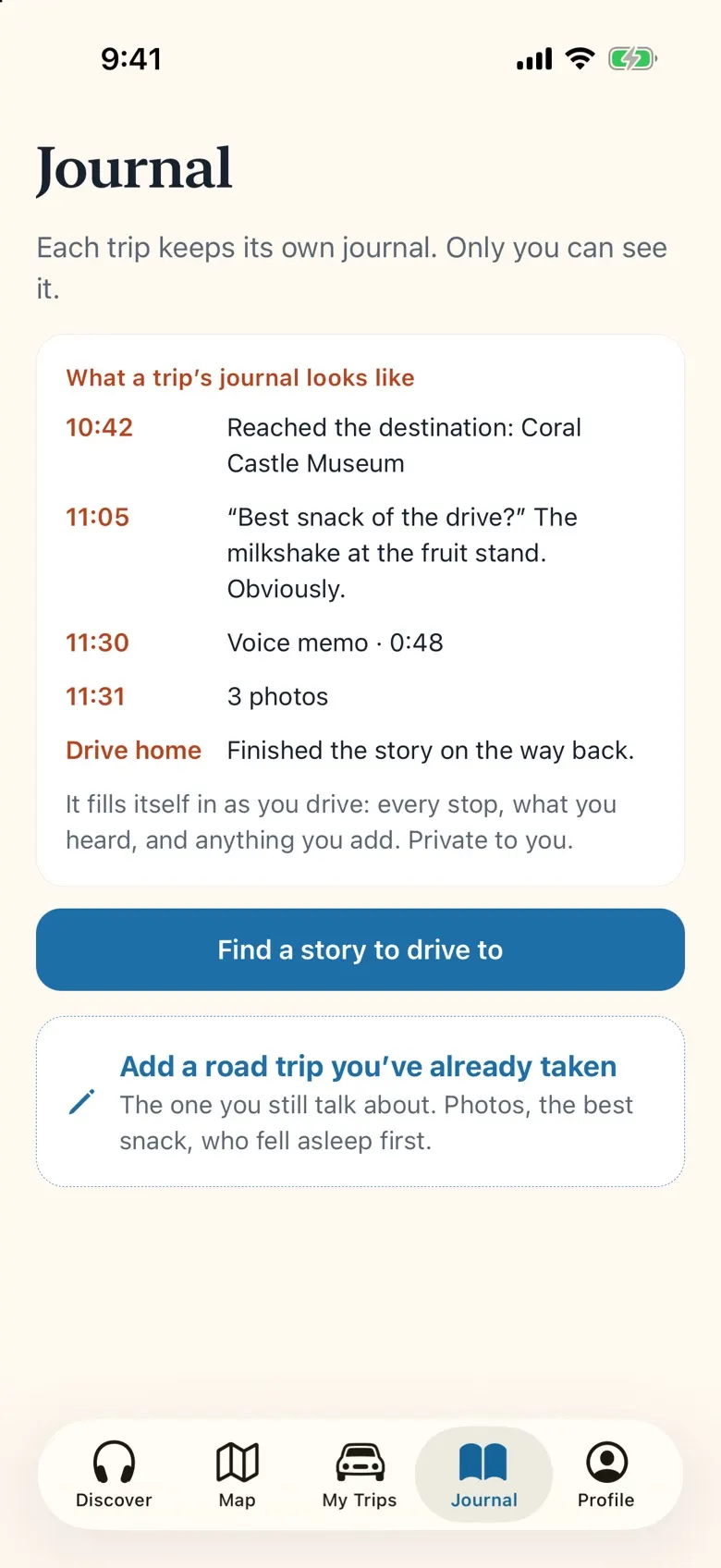
Every trip keeps its own journal: the places you reached, what you heard on the way, the best snack and who fell asleep first. It’s private to you, and to the person you travel with if you share.
It fills itself in
Every stop you reached and what you heard on the way, written down as you drive.
Photos, notes and voice memos
Add photos from the trip with a tap, and a note or a voice memo whenever something happens.
Passport stamps
The places you reach earn stamps, like pages of a passport, so you can see how far you’ve been.
Travel together
Link up with one other person, like your partner. Trips you share show up on both phones. The rest stays yours.
In the car
Made for eyes on the road
Set up your trip before you drive. After that, you shouldn’t need to touch the phone.
CarPlay
Three lists on the car’s screen: this trip’s stories in order, stories near you, and the ones you saved. Pick one and it plays.
Siri
Ask Siri to pick up where you left off, find stories near you or open your next trip.
Home Screen widgets
Today’s pick near you and your next trip, one tap away on the Home Screen.
For creators and cities
Your stories, heard where they happened
Podcast creators
Every story plays your own episode, straight from your public feed, with your show’s name on it. Listeners find you through the places you covered, and drive there to hear you. If you’d like a story of yours added, changed or taken out, write to us.
Tourism boards and visitor bureaus
A “Day in” adventure strings together the stories set in one city, with the stops, food and detours in between. A city can present its day: its name on the adventure, clearly marked as sponsored, while the stories and our words stay independent.
Privacy, in plain words
Where you go is your business
No account needed
Browse, plan, listen and keep a journal without signing in. Sign in with Apple or Google only to sync to a new phone.
Your location stays put
Your location is used on your phone to announce stops. We don’t keep a record of where you’ve been.
No ads, no tracking, no AI
Anonymous crash reports help us fix bugs. Usage counts are only sent if you turn them on.
We don’t sell your data
We never sell or share your personal information. Delete a trip, an entry or your whole account in the app.
Questions people ask
Do I need an account?
No. You can browse stories, plan trips, listen, and keep a journal without signing in. Sign in with Apple or Google only if you want your trips and journal to sync to another phone.
Where do the stories come from?
Every story is a real podcast episode, played straight from the creator’s own public feed and paired with the real places it’s about. Sounds Like A Trip isn’t affiliated with the shows it features.
Does it work where there’s no signal?
Yes. You can download episodes before you leave for places with no signal.
Does the app track where I go?
No. Your location during a drive stays on your phone and is used to announce upcoming stops. Sounds Like A Trip does not record where you have been.
Can I use it with CarPlay?
Yes. In the car you get three lists: this trip’s stories in order, stories near you, and the ones you saved. Pick one and it plays in the app, with the usual Now Playing controls. There are Siri shortcuts and Home Screen widgets too.
Can two of us share a trip?
Yes. Travel together links you with one other person, like your partner. Trips you share show up on both phones. You can also send any trip to a friend as a link.
Is it free?
Listening and planning are free. Sounds Like A Trip Plus, a yearly plan, and a Trip Pass for a single trip are optional and add live routing, photo backup, and more. Prices are shown in the app before you buy.
Which phones does it work on?
iPhone. There’s no Android version yet.
How do I get Sounds Like A Trip?
Sounds Like A Trip is coming soon to the App Store. Join the beta and we’ll email you when your invite is ready.
Podcasts belong to their creators and play from their public feeds. Sounds Like A Trip isn’t affiliated with the shows it features. Apple, the Apple logo, iPhone, CarPlay and Siri are trademarks of Apple Inc., registered in the U.S. and other countries. App Store is a service mark of Apple Inc.